Run the whole SGO from one ledger.
Behind the donor, family, and school surfaces is the work of running the organization: reconcile, review, award, report. Your team does all of it from one console instead of ten tools, drawing on one reconciling ledger. This is the back office where §25F compliance is won or lost.
One console instead of ten tools.
90/10 tracked continuously
The split between scholarships and administration updates with every donation and disbursement. You watch your position against the 10% cap in real time, not discover it at year end.
Review and assign
Open an applicant's income documents, confirm eligibility, and award a scholarship from the same screen. The decision trail is kept for audit.
On-platform email
Email applicants and schools without leaving the console, so the whole conversation stays on the record.
Deep-filter dashboards
Filter by income, household size, siblings receiving, and prior-recipient status to see the program clearly and defend every award.
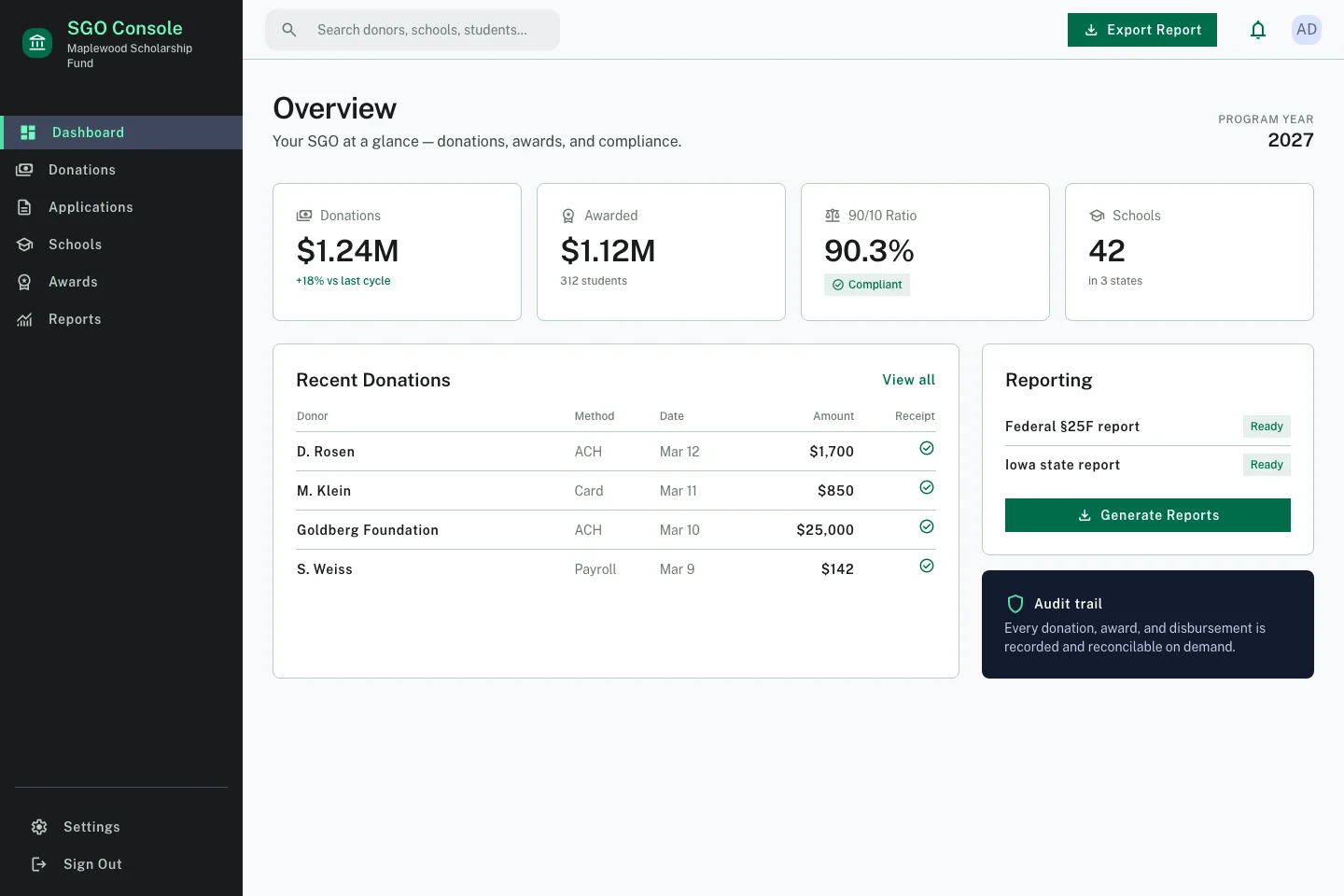
State and federal reports from one reconciling ledger.
Every state program reports differently, and §25F adds a federal layer on top. Draw both from one reconciling ledger and the numbers agree by construction. You generate reports instead of stitching them together from a donor CRM, a spreadsheet, and a scholarship database that never quite match. That is also what keeps the work inside the 10% admin cap: done by hand, the reconciling and filing would break it.
- State-specific reports for each program you operate under, plus the federal §25F report, all drawn from the same underlying records.
- The 90/10 split shown at all times, so the 10% admin cap is a number you watch, not one you discover at filing.
- Audit views that reconstruct any donation, award, or disbursement on demand.
The back office is where compliance is won or lost.
§25F is a regime, not a tax form: separate accounts, the 90/10 cap, document-backed eligibility, distribution rules, and an audit-ready trail. The admin console exists to keep all of it correct by construction. See the full picture on the compliance page.
Explore the rest of the platform
Be ready the day §25F donations open
January 1, 2027 is the same starting line for every SGO. See the platform built from the ground up for §25F: it turns every school you serve into a donor channel, then handles eligibility, disbursement, and reporting in one compliant system. You receive donations and choose scholarships, the platform does the rest.